Issue 180: Running a model
Published:
Previously: Agents are software applications that comprise a harness, a runtime, and a model (typically accessed through an API instead of directly executed on the computer). They enable a user to type in a request or send it by other means and thus instruct the agent to carry out a task on the computer until completion. The capabilities of agents are limited by the tools available to them.
As of June 2026, OpenAI and Anthropic charge about $20/mth for their Pro/Plus plan, and about $200/mth for their Max plan. For those of us who like to stay on free tiers, it can be pretty annoying to hit the dreaded “You have reached the limit for Free plan”, but what can we do short of shelling out for a higher tier?
Wait—if a language model is a bunch of numbers, and a runtime is just a program, why can’t I run it on my own computer instead?
Proprietary models and open-weight models
For starters, you can’t download the GPT-5 or Claude models. They are proprietary models, and their weights (the file containing the model’s parameters) are a guarded trade secret; a leak of the weights would be disastrous for OpenAI or Anthropic.
Okay, fine you say, then let’s run something I can actually download. As of 2026, that typically means you would go to HuggingFace (yes, that is their actual name), currently the world’s largest platform for hosting open-weight models. An open-weight model, analogous to open-source software, means the model’s weights are publicly available and you can download them.
The parts: downloading weights
Let’s download the currently top-trending model, Google’s gemma-4-12B-it. The model card says that this is a multimodal model (Issue 177) with 11.95 billion (12B) parameters (Issue 170). It has a context length of 256K tokens (Issue 172)—important when deciding what kind of tasks it can plausibly take on, since the context length dictates what the total output length (including the input tokens) cannot exceed.
Under Files and versions, we see a whole bunch of files, most of them metadata, configuration information, and other data (such as the token list). The model weights are easy to tell: they are by far the largest file of the collection, weighing in at 23.9GB. We can calculate this: 11.95 billion parameters, with each parameter taking up 16 bits (Issue 40), means 2 bytes per parameter, and thus 23.9 billion bytes for all the parameters. 23.9GB.
The runtime
You have a few options here, listed from easiest to most difficult:
- LM Studio – Comes with a graphical user interface (GUI), so click to load the model and you get a chat interface. Great for getting started ASAP, not great if you actually eventually want to use it as an agent.
- Ollama – A commandline program, requiring some terminal chops. Sets up an API server that you can use with many other programs.
- Hugging Face Transformers – A Python library for working with models, which means it’s programmers-only. Great if you are building or customizing your own agent harness, but definitely not ready-to-run as-is.
- llama.cpp – The most low-level, close-to-the-metal option. Gives you a commandline program for using the model, but you have to manage all other technical detail on your own. Not for the faint-hearted.
- vLLM – A GPU-only library for serving models over an API. Presumably we do not have four thousand bucks to spend on an entry-level GPU for models, such as the RTX 4090 with 24GB of GPU memory, and are running the model on a CPU, so this option is automatically disqualified for us.
Hardware requirements
Great. So we’ve downloaded and installed LM Studio, launched it, and then selected our gemma-4-12B-it model for loading.
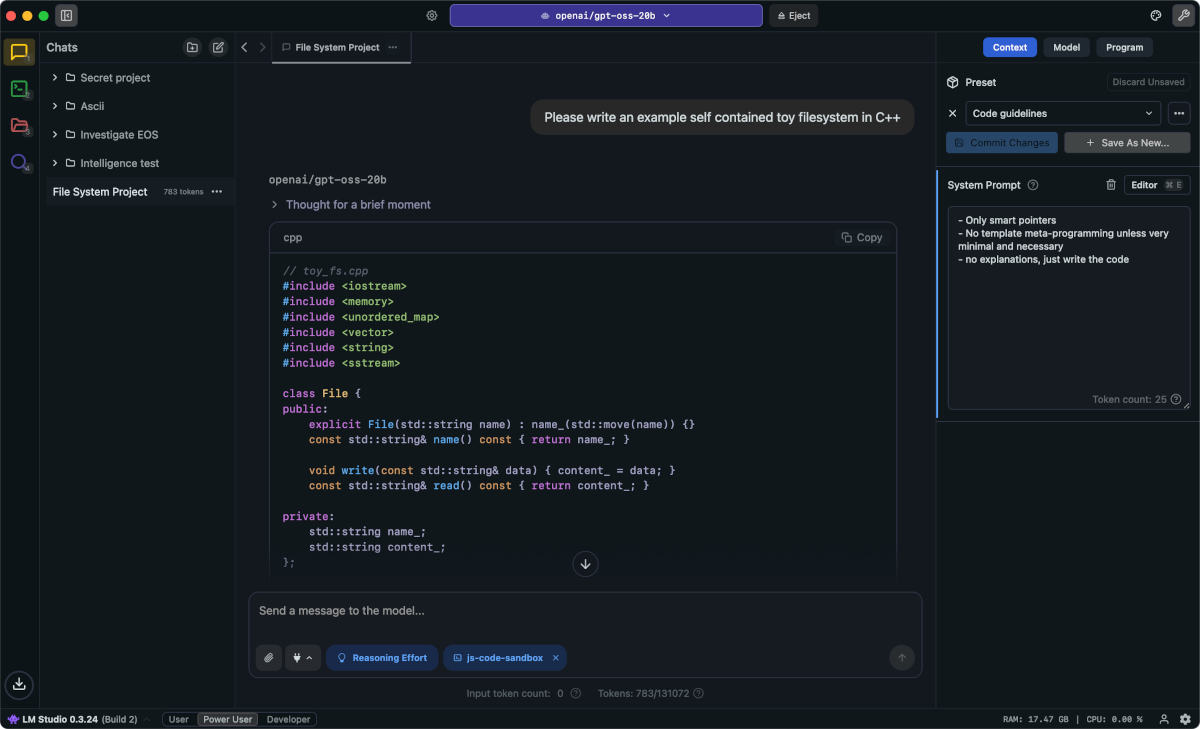
A screenshot of LM Studio
Source: LM Studio
The first thing that would probably happen is your system will complain about insufficient memory and stop. You see, to run this model, we would need to read the model weights (23.9GB) into memory, immediately using up 24GB of memory. Even assuming no other apps are running, we still need more memory for the following:
- operating system overhead (~1-2GB)
- memory used by the runtime (1-3GB)
Oh? It didn’t crash for you? I see, you had the Macbook Pro with 64GB memory, or something in that weight class. Great, let’s start prompting your model then. It won’t work as quickly as ChatGPT, but it should manage a comfortable ~20–30 tokens/sec, slightly slower than reading speed but useable.
Unfortunately, as you ask more and more questions within the same session, it will run more and more slowly, and eventually it will crash. You see, the model generates a representation of the entire input, called the KV cache, which stores its computed values for how each token in the input relates to other tokens in the input. This is estimated to take up ~12GB for 32K tokens, so ~96GB if using the full 256K context length.
Yeah, this isn’t for the faint-hearted.
Issue summary: Proprietary models do not have their weights published publicly, while open-weight models do. Various runtimes are available for download, and can run models that have a compatible file format. But models are extremely compute- and memory-intensive, requiring extremely high-end hardware and capacious memory to run.
This is the pessimistic view. Next issue, we look at some optimizations that are available even to newcomers to enable models to run faster and with a smaller memory footprint.
What I’ll be covering next
Next issue: Issue 181: Quantization